
To Create a new Document Based on a Template
To create a new document based on a document template
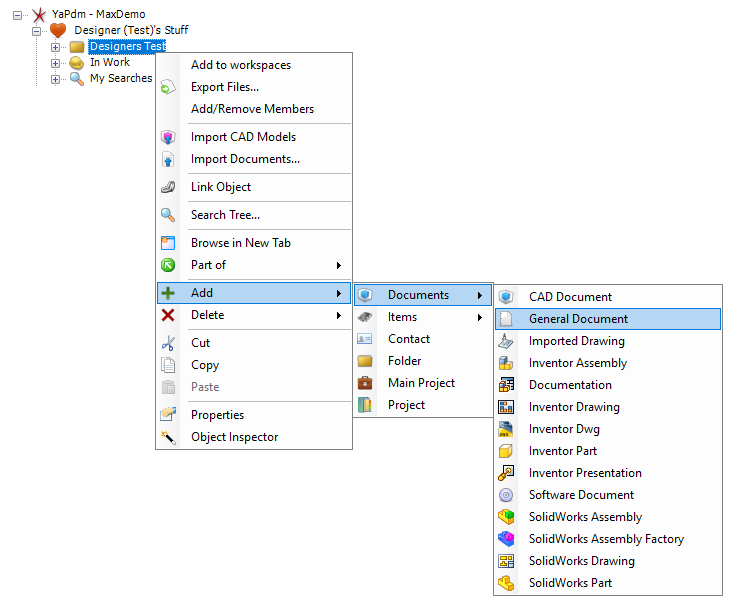
- Right click an object, e.g. a folder, and select Add - Document - General Document from the drop-down menu
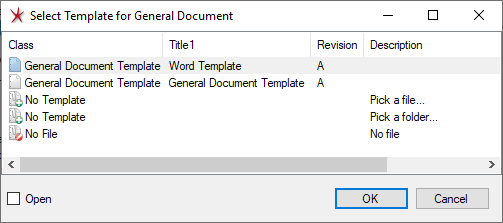
A dialogue with available templates is then shown
- Select a template and then press OK to create a document based on the selected template
- The Properties Tab for the document is opened. Fill in desired properties and then OK
A new document has been created and is linked to the selected object (e.g. folder).