
To Create a Part Factory
The Part Factory object is a template model created in SolidWorks. The model can consist of one or several configurations in SolidWorks and it is saved in to YaPlm as a PartFactory object.
To create a PartFactory object in YaPlm:
- Create a part in SolidWorks with configurations. The variants can be created either manually or by 'Design Table' in SolidWorks. Please refer to the SolidWorks help for more information how to manage configurations in SolidWorks.
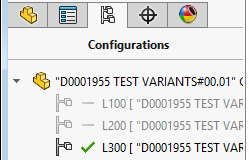
- Select the command YaPlm - Save from the integration menu
- Select the class SolidWorks Part Factory, fill in all attributes and then press OK
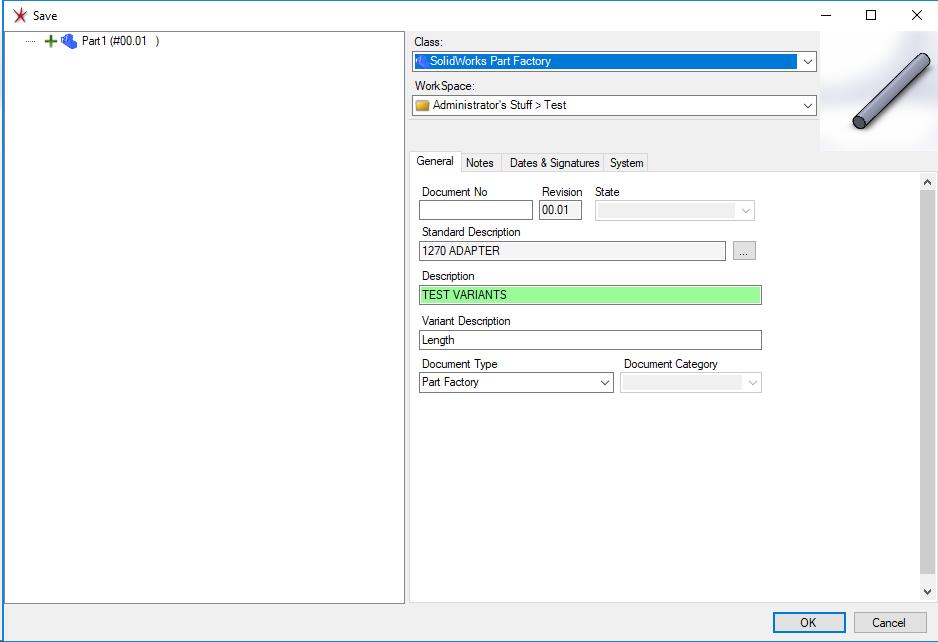
An object of the class SolidWorks Part Factory has now been created in YaPlm
