
To Create an Item Based on a CAD Model
Items can be generated from a single CAD part or from an entire assembly structure. When an Item is generated from a CAD model the attribute Item Creation Type controls what type of Item to be created.
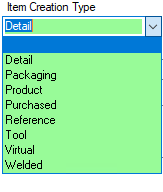
The standarad values for 'Item Creation type' are:
|
Item Creation Type
|
Item Class
|
Note
|
|
Detail
|
Item
|
|
|
Packaging
|
Packaging Item
|
|
|
Product
|
Top Item
|
|
|
Purchased
|
Purchased Item
|
|
|
Reference
|
-
|
A reference model can not have an Item
|
|
Tool
|
Tool Item
|
|
|
Virtual
|
-
|
Used for assemblies. A 'virtual' subassembly does not have a corresponding level in the Item Structure, its components are moved to a higher level
|
|
Welded
|
-
|
A welded CAD part cannot have an Item
|
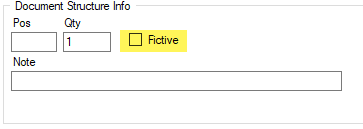
In addition to 'Item Creation Type' the attribute 'Fictive' can also be used to further define the behavior to the Item. A model with the attribute 'Fictive' set can have an Item. The 'Fictive' attribute is saved on the link. This means that a component can be fictive in one structure but in another structure it is not fictive. If a component is fictive its Item is not linked to the corresponding Item structure.
To create an Item from an Existing 3D model
- Mark a CAD Model and select Create Item from the right click menu
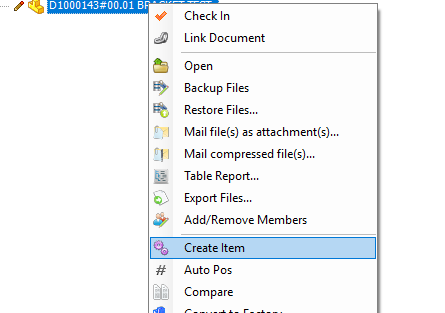
A new Item is now created based on the CAD Model. There are settings which controls what attributes shall be copied from the CAD model to the Item