File Revisions - Minor Change
With the File Revision functionality it is possible to change a file without changing the objects revision.
The minor change functionality shall only be used for cosmetic changes which do not affect the objects revision. For example changing fonts on drawings or fixing some types of rebuild errors in 3D CAD models.
|
To create a new File Revision:
- Mark the file object you would like to change located in the File tab
- Select New File Revision from the right click menu
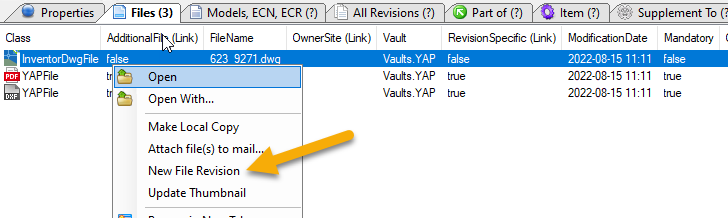
A new file revision of the file is created and a writable copy of the file is located in the work directory. Note that the object icon has changed and the attribute Revision Sequence has increased.

- Perform the changes on the file.
- Select the command Send to Vault from the right click menu.
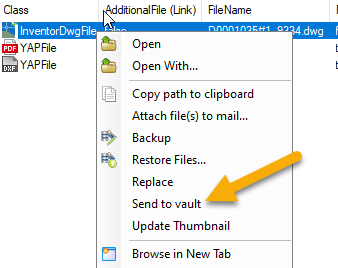
- The file is sent back to vault and the new file revision is now available for all users
If an object has several file revisions, the latest file revision is used during file operations such as open
|
To Re-Save mandatory files:
- Open the just created file revision in its application
- Select Re-Save Mandatory Files... from the integration menu
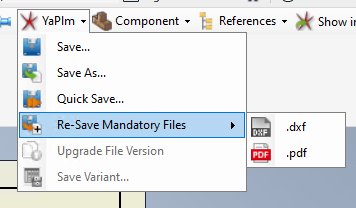
A new file revision of the selected file has been created