To Change a Document
To be able to change a document it must have status 'In work'.
To create a new 'In word' revision in YaPlm:
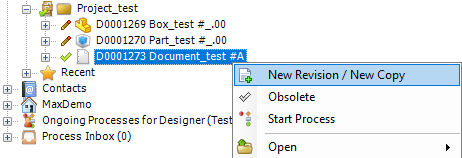
- Select an object with status Checked In or Released, then select Check Out or New Revision from the right click menu.
- Press the OK button in the opened dialogue.
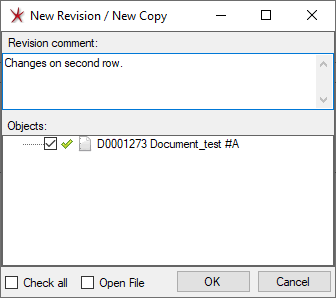

A New Revision of the selected object is now created and the status has changed to In Work. The object and its files are now editable and located in the working directory.
|